Your calendar starts at sunrise.
Plan your activities as in any calendar. Beside them, TattwaCalendar shows the five Tattwas that follow each other every 24 minutes from sunrise, calculated for where you are.
Example: Berlin, 3 November 2026 at 13:35. Calculated in your browser from sunrise, the same way the app does. Nothing is sent anywhere.
Five Tattwas, 24 minutes each
Each day begins at sunrise. From then on the five Tattwas follow each other in periods of 24 minutes. After two hours the cycle starts again: 12 cycles, 60 periods, until the next sunrise.
- AkashEther
Akasha means “ether”, “space” or “sky” in Sanskrit. In the tradition it is the subtlest of the five elements: the space in which the others exist. Classically it is associated with the sense of hearing.
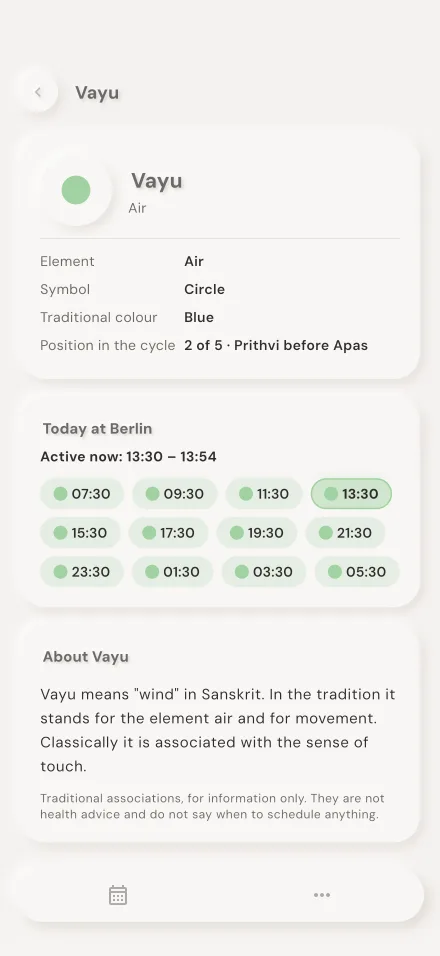
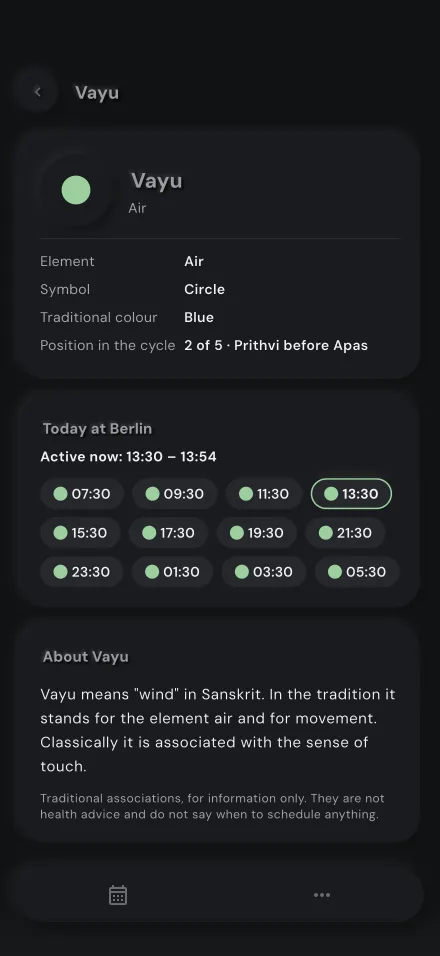
- VayuAir
Vayu means “wind” in Sanskrit. In the tradition it stands for the element air and for movement. Classically it is associated with the sense of touch.
- TejasFire
Tejas means “brilliance” or “radiance” in Sanskrit; it is also called Agni, fire. In the tradition it stands for the element fire and for light. Classically it is associated with the sense of sight.
- PrithviEarth
Prithvi means “earth” in Sanskrit. In the tradition it stands for the element earth: solidity, form and stability. Classically it is associated with the sense of smell.
- ApasWater
Apas means “water” in Sanskrit. In the tradition it stands for the element water and for fluidity. Classically it is associated with the sense of taste.
Your place decides
Sunrise is different in every place, so every period is too. The app calculates them on your device, for your location or a city you choose, in that place's time zone.
Your order
The app follows Akash, Vayu, Tejas, Prithvi, Apas. One setting swaps Prithvi and Apas, and every view updates at once.
Context, not instructions
Each Tattwa has its own page with the traditional descriptions and what the tradition finds suited to it, or to avoid. They are tradition, not health advice, and the calendar never plans for you.
Your plans, with the day's rhythm beside them
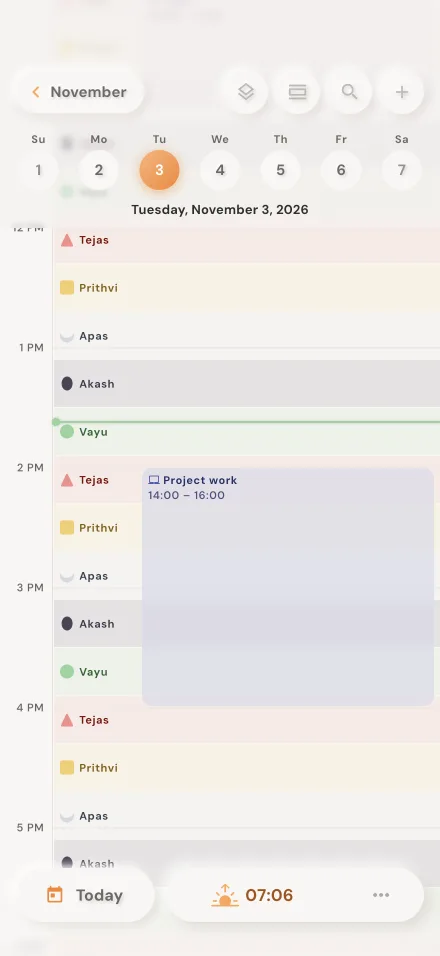
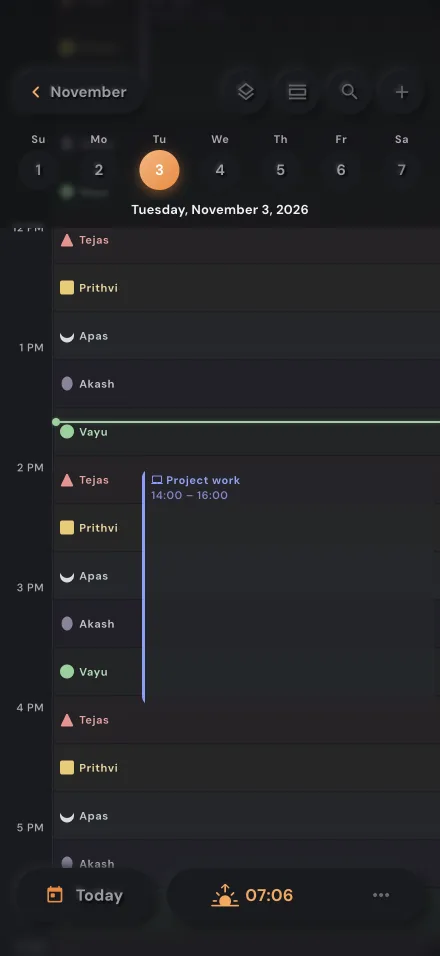
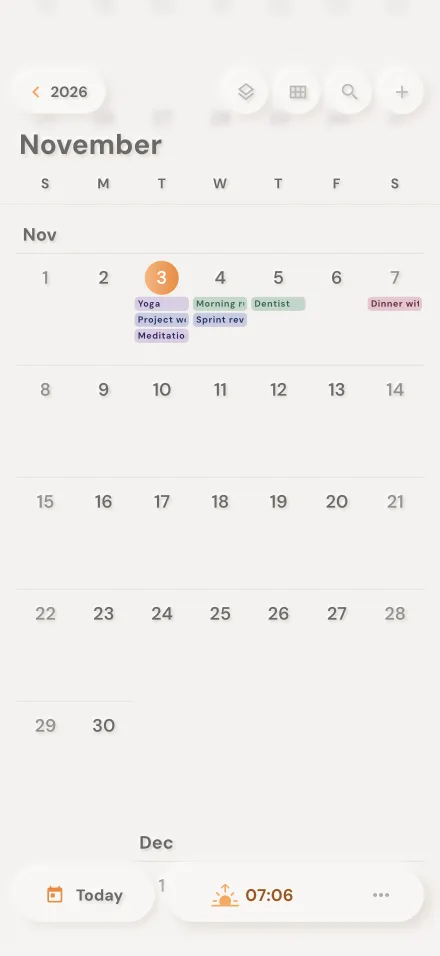
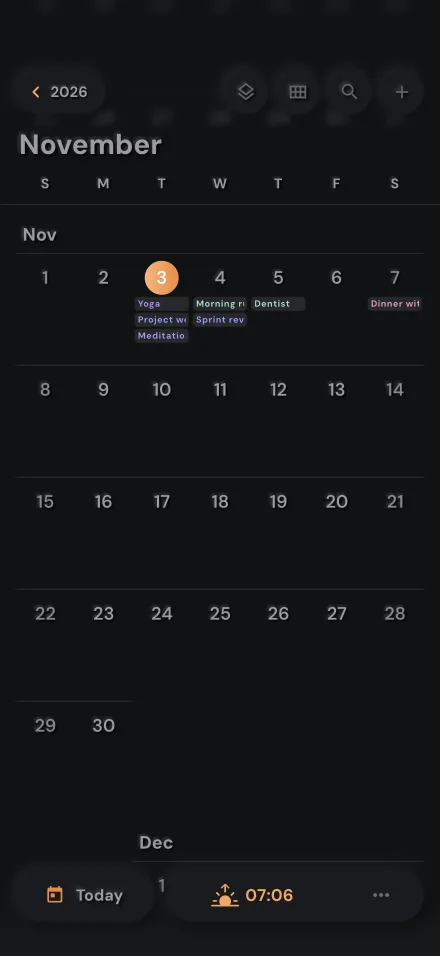
Day, week, month, year and list views around one selected date, with search. Each day shows its Tattwa sequence; the day view lays every period next to your activities, and each activity lists the Tattwas during its time.
- Create, edit, duplicate, move, copy and paste activities
- Repeat every day, week, month or year at any interval, also on the first or last weekday of a month, until a date or a number of times
- Change one occurrence, this and the following ones, or the whole series
- Your own categories with any colour and an icon; hide or delete them
- A place you can open in Maps, a link with “Join” for video calls, and travel time
- Several reminders per activity, including “time to leave”, scheduled on your device
- Search, filters, upcoming and past activities
- Share an activity as a calendar file (.ics)
Bring the calendars you already use
See your other events with their Tattwa context too. TattwaCalendar only reads them; nothing in your other calendars is changed.
Device calendars
Google, iCloud and the other accounts on your phone, read-only.
Subscribe by link
Add any calendar by its iCal link (https:// or webcal://) and update it whenever you like.
Import an .ics file
Open a calendar file once and keep its events in view.
Public holidays
Add the public holidays of a country, from Google’s public holiday calendars.
The sky behind your day
Everything the rhythm depends on, calculated for your place.
- Tattwa clock
- A circular clock of the day's 60 periods from sunrise, with the active one, the time left and the next Tattwa.
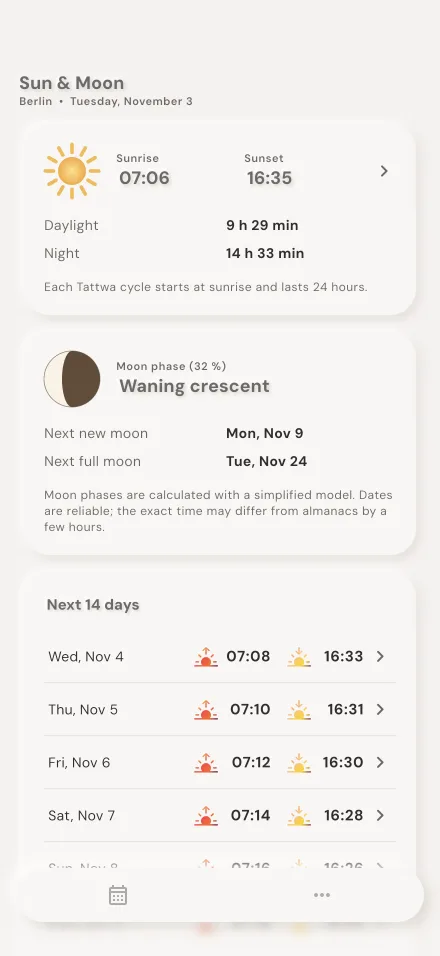
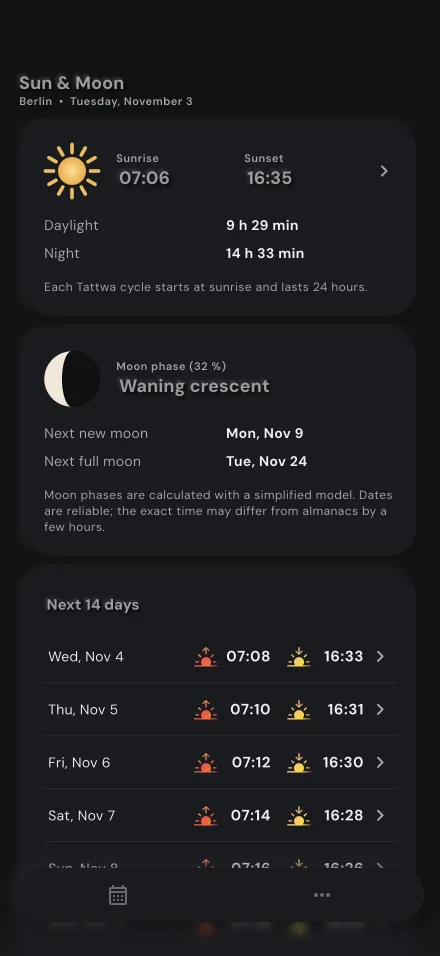
- Sun & Moon
- Sunrise, sunset, daylight and night for the next 14 days, the moon phase and its illumination, the next new and full moon. A page for each day adds solar noon, twilight and the golden hours.
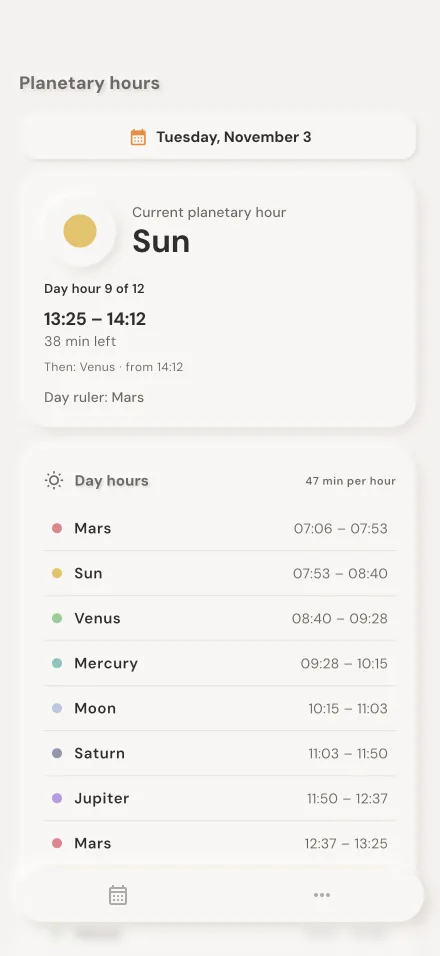
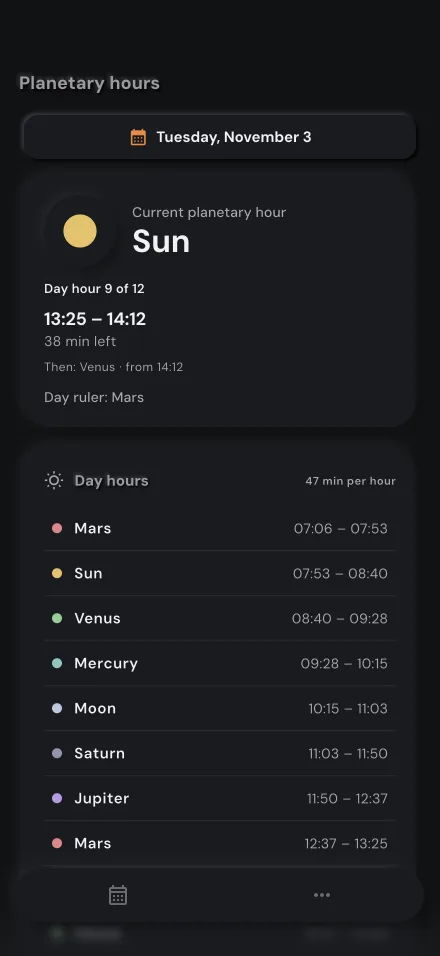
- Planetary hours
- Day and night each split into 12 planetary hours, from the day's ruler onwards in the Chaldean order.
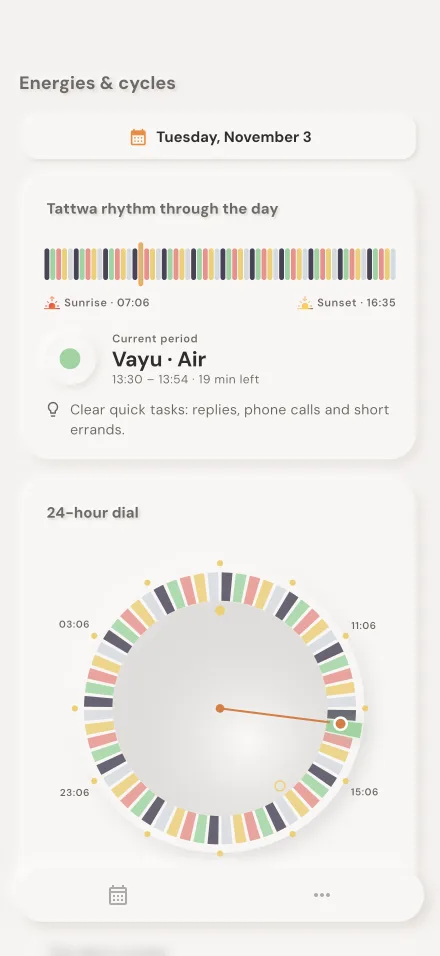
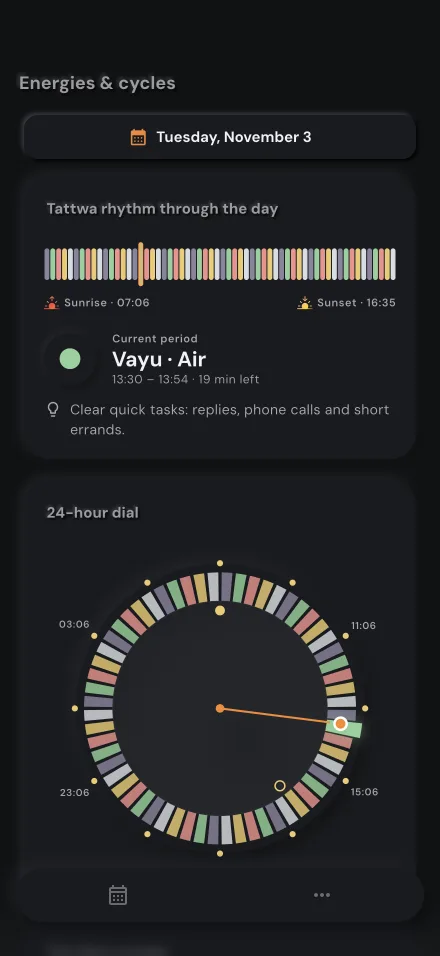
- Energies & cycles
- The day's 12 cycles and a 24-hour dial of the rhythm, for today or any date you pick.
A glance on your wrist
The Apple Watch shows the current and the next Tattwa, with the periods your iPhone calculated. Open the iPhone app once with a place set, and the watch keeps the day.
The real app
Screens of the app as it runs, with a fictional demo day in Berlin.
Private by design
Nothing to sign up for to start.
No account needed
Open the app and plan. Signing in with Apple or Google is optional.
Stays on your device
Activities, categories and settings are stored only on your phone.
Location on device only
Used to calculate sunrise and the periods, never sent. You can choose a city instead.
No tracking
No analytics, no ads, no tracking.
Questions
What are the Tattwas?
In the Indian tradition the Tattwas are five elements: Akash (ether), Vayu (air), Tejas (fire), Prithvi (earth) and Apas (water). From sunrise they follow each other in periods of 24 minutes, a full cycle every two hours. TattwaCalendar calculates these periods for your place and shows them as context beside your plans.
Do I need to know the Tattwas to use it?
No. It is a complete calendar on its own. The app has a short page for each Tattwa, and the rhythm stays in the background until you want to look at it.
Does the app tell me when to do things?
No. The calendar shows which Tattwas fall into an activity, and you decide what to make of it. Each Tattwa’s page includes the traditional descriptions and a list of what the tradition finds suited to it, or to avoid; they are tradition, not health advice.
Why does it need my location?
Only to calculate sunrise, and from it the periods, on your device. Your location is never sent. You can choose a city instead; then only the typed name is sent to OpenStreetMap to find the place. Details in the privacy policy.
Can I see my Google or iCloud calendar in it?
Yes, read-only: through the calendars on your device, by subscribing to an iCal link, or by importing an .ics file. TattwaCalendar never changes them.
Which devices and languages?
iPhone, iPad and Apple Watch, and Android phones and tablets, with Home Screen widgets (Lock Screen widgets on iPhone), in English, German, Spanish, French, Italian, Romanian and Russian.
When can I download it?
TattwaCalendar is coming soon to the App Store and Google Play. Questions until then: digitalgo3msc@gmail.com.
Plan the day. Keep its rhythm in view.
TattwaCalendar is coming soon to the App Store for iPhone, iPad and Apple Watch, and to Google Play for Android.